



Ad Management
Google Ads vs. Meta Ads: A Comparison for Local Businesses
Google Ads or Meta Ads? How they differ for local businesses, which one comes first for your kind of work, and how to measure and split a budget.
"I want to run ads, but should it be Google or Instagram?" This is the question we hear most often from local business owners. Most of the time it gets answered by a tip from the shop next door, or by the promise of a sales rep who calls on the phone. The outcome is predictable too: a few months of budget spent on the wrong platform, and a settled belief that "ads don't work."
The two platforms are not alternatives to each other, because they do different jobs. Which one comes first doesn't depend on taste or on what's fashionable. It depends on how your customers find you. This article was written so you can make that decision for your own business.
By the time you finish reading, you'll know which platform comes first in your line of work, what each one asks of you, how to compare the results, and how to split a limited budget between the two.
Key takeaway
Google Ads catches the person who is searching for a need right now. Meta Ads (Instagram and Facebook) creates interest and demand in a person who isn't searching yet. If people search for your service by name, Google comes first. If your work is explained through visuals and isn't being searched for yet, Meta comes first. When the budget allows, the most efficient arrangement is a division of labor in which Meta introduces you and Google catches the search.
What is the basic difference: a need being searched, or an interest being sparked?
On Google, a person types a need: "boiler repair Pendik," "dental clinic Kurtköy," "emergency locksmith." The demand exists before the ad does. The ad's job is to be visible at that moment and give the right answer. This is called search intent: the purpose a person has in mind when they make a search.
On Instagram and Facebook, nobody is searching for anything. Your ad slips in while people are looking at their friends' posts, at videos and at stories. Here, the demand isn't ready. The ad's job is first to make someone stop, then to make them curious, and then to make the next step easy.
- Search: the person types a need and looks for a solution. They are close to deciding.
- Feed: the person isn't looking for anything; if the content catches their eye they stop and get to know the brand.
Illustrative screen built with EAX Studio's own real details.
The practical result of this difference is as follows. On Google, the ceiling on your visibility is the number of people searching for that service. You can't run a search ad for something nobody searches for. On Meta, the ceiling is the number of people in the area you target. You can appear in front of everyone, but they may have no need at the moment they see you.
You can think of the two platforms through a storefront analogy. A Google ad puts your sign in front of the person who says, "I'm looking for a plumber." A Meta ad shows your shop window to the person strolling through the shopping street. The sign works at the moment of need. The window makes room in someone's mind before the need arises.
Which ad types are we comparing in this article?
Google Ads is not only search ads. There are YouTube and display options too. When local businesses say 'Google ads,' they mostly mean the text ad in the search results, and when they say 'Meta ads,' they mean the visual ad in the Instagram and Facebook feed. The comparison here is between those two.
How do Google Ads and Meta Ads look side by side?
The table below sums up the two platforms under eight headings. Each row is unpacked in the sections that follow.
The last row of the table is the heart of the decision. The weak sides of the platforms are not flaws. They follow from how each one is built. Expecting a platform to do a job that goes against its structure is the most common cause of wasted budget.
Which one comes first for which type of business?
The word "first" matters. Most businesses end up using both over time. The question is where the first share of the budget goes. Let's look at it through four types of business. All of the examples are hypothetical.
Urgent-need services
Locksmiths, plumbers, boiler and air conditioning repair, tow trucks, glaziers. In these trades, the customer picks up the phone and searches the moment the problem appears. The decision is made within minutes.
Picture a plumber in Tuzla. However good a video they post on Instagram, the person who sees it doesn't have a burst pipe at that moment. When the pipe bursts three months later, they won't remember the video. They'll type into Google. In this kind of work, nearly all of the budget goes to search. Meta makes sense only for announcing services that can be planned, such as periodic maintenance.
Appointment-based services
Dental clinics, physiotherapy, vets, psychologists, beauty centers, auto repair shops. Here the need is clear but not urgent. The person compares a few options, reads reviews, looks for trust and then books.
Picture a physiotherapy clinic in Kurtköy. Someone who types "physiotherapy Kurtköy" is ready-made demand, and Google captures it. But the decision takes a few days. During that time, the person looks at the clinic's Instagram profile and wants to see the space and the specialist. For this type, the order is: Google first, and then showing up again on Meta, with content that builds trust, in front of the people who visited the site.
One caution if you work in healthcare: the promotion of health services is restricted by regulation, and the ad platforms have their own rules for this field as well. Before you publish ad copy, check the rules of the professional body you belong to.
Visual products and services
Hair salons, bakeries, florists, boutiques, furniture workshops, wedding photographers, kids' play centers. In these businesses, the image makes the buying decision. A person doesn't want the product before seeing it, and once they see it, they may want it even though they weren't looking.
Picture a boutique bakery in Kartal. An ad can appear on the search "bakery Kartal," but a text ad can't convey what the cake looks like. A ten-second video of the same cake being cut plants that bakery in the mind of someone whose birthday is coming up. For this type, Meta comes first. Google is added as a narrow campaign for specific, high-intent searches such as "order birthday cake."
Newly opened venues
A new café, gym, play center or studio. The problem is simple: nobody knows your name, so nobody is searching for you. A search ad works only on generic searches, and there you compete with established businesses.
Picture a newly opened coffee shop in Pendik. The first goal is for the people who live and work nearby to know the place exists. Short videos on Meta that target a tight radius around the venue, and show the space and the products, do this job. Meanwhile, your Google Business Profile needs to be set up in full, because the person who sees the ad will search for your name on the map. We covered the division of labor between the profile and social media separately in our article on Google Business Profile or social media.
What are you paying for? The cost logic of the two platforms
We won't give figures, because cost changes with the industry, the district and the time of year, and general averages tell you nothing. But knowing what each platform puts a price on helps you read a report correctly.
On Google, you pay for the click
In a search ad, you're charged when someone clicks the ad. An auction sets the price of the click. These are the factors that push the price up or down:
- The number of businesses bidding on the same keyword
- The commercial value of the search: in services where revenue per customer is high, bids are high too
- How relevant your ad and landing page are to the search
- The area and the hours you target
A click can look expensive, but the person clicking has just typed out their need with their own hand. How to protect the budget here is a separate subject. We went through conversion tracking, match types and negative keywords step by step in our guide to Google Ads budget efficiency.
On Meta, you pay for attention
On Meta, you're mostly charged on impressions. In other words, you pay for your ad to take up space on people's screens. The factors that change this cost are different:
- The size of the target audience and the number of other advertisers who want to reach that audience
- The time of year: competition rises on special occasions and during busy shopping weeks
- The quality of the creative: the system shows an ad that people watch and engage with on better terms
- The objective you choose for the campaign
The last item is often overlooked. When you set up a campaign on Meta, you choose an objective: awareness, traffic, engagement, leads, app promotion or sales. The system looks for the people most likely to do what your chosen objective asks for. Choose traffic, and it finds people who tend to click links. Choose leads, and it finds people who fill in forms or send messages. If what you want is appointments and you chose engagement as the objective, it's no surprise that you get many likes and few appointments.
The common yardstick: cost per inquiry
Comparing the two platforms by click price is misleading. A click on Meta often looks cheaper, because the person clicking was only curious. The only level at which the comparison means anything is the cost per inquiry, and the rate at which those inquiries turn into customers.
A cheap click is not a measure of success
Traffic that is cheap but doesn't turn into inquiries costs more than traffic that is expensive but turns into appointments. On both platforms, the question to ask is the same: what did one real inquiry cost me, and how many of those inquiries became customers?
Creative and content: what does each platform ask of you?
Creative is everything that appears in the ad: the photo, the video, the headline and the text. The production workload the two platforms expect from you is very different, and that difference feeds directly into the decision.
Google asks you for sentences and a page
A search ad is made of text. What you need is the right keywords, clear headlines and a page that delivers on the ad's promise. You don't have to take photos or edit video.
The page, however, is a must. A person arriving from a search ad expects a page that opens quickly, explains the service they searched for and shows how to get in touch on the first screen. If your website can't do this job, the page needs attention before the search ads do.
Meta asks you for visuals and consistency
On Meta, the creative largely decides whether the ad succeeds. That takes three things.
Real footage. A stock photo goes unnoticed in the feed. Your own space, your own team and your own work draw more attention. A video shot on a phone, well lit and steady, is enough most of the time.
The right format. Stories and Reels are designed for a vertical screen. In these placements, vertical video in a 9:16 ratio fills the screen. Squeezing a horizontally shot video in here weakens its effect.
The first seconds. All a person has to do to skip the ad is flick a finger. If the start of the video doesn't make clear what you're offering and who you're talking to, the rest won't be watched.
The fourth requirement is consistency. When you target a small area, the same people see your ad over and over. After a while, the response drops. This is called creative fatigue, and the remedy is new visuals. Running Meta ads means accepting that you'll produce content regularly.
There's one more thing. The person who sees the ad will often look at your profile. A profile whose last post went up months ago, with empty highlights, puts out the interest the ad sparked. That's why social media management and advertising should be thought of together. For how to organize your profile, see our social media guide for local businesses.
Ask yourself: will I be able to produce it?
If you don't have the time and the material to produce at least a few new photos or videos a month, Meta ads may not give you the result you expect. In that case, either hand production over to someone or give the budget to search ads, which don't require production.
How does targeting differ: the keyword or the person?
Targeting means deciding who the ad is shown to. The two platforms come at this question from opposite directions.
On Google, you target what is being searched
On Google, you choose not who the person is but what they type. Their age, occupation or interests take second place. Everyone who types "car inspection Kartal," whoever they are, is looking for an inspection at that moment.
Location and time are layered on top of this. You show the ad only in the districts you serve and only at the hours when you can handle the demand. The quality of the targeting depends on how accurately you choose the keywords.
On Meta, you target who will see it
On Meta, there are no keywords. You describe the person:
- Location: A city, a district or a set radius around your business.
- Demographics: Age range and gender.
- Interests and behaviors: Tendencies inferred from the person's activity on the platform.
- Custom audience: People who have visited your site, engaged with your profile or watched your video.
- Lookalike audience: New people who resemble your existing customers or visitors.
In recent years, Meta has been recommending that you leave most of the targeting to its own automated systems. You draw a broad frame, and the system narrows the audience itself by looking at who responds. In that case, the creative in effect becomes the targeting. Whoever your ad speaks to, the system carries it to those people.
The small-audience problem for local businesses
For a local business, the geographic area is already small. When age, interest and behavior filters are added on top of that, the audience shrinks a great deal. In a small audience, the system can't find enough examples to learn from, the same people see the ad too often, and the cost of impressions can rise.
The practical approach is this: draw the location correctly, narrow the age range only if you really have to, and leave the rest to the message in the creative. A video that opens with "A new play center in Kurtköy where you can go with your child" stops the right people without your having to pick an interest.
Meta's advertising rules don't allow wording that implies a person's personal attributes, such as their health or their financial situation. Using language that describes the service, instead of a line aimed straight at the person like "Do you have back pain?", both complies with the rules and comes across as more respectful.
How are forms, calls and WhatsApp clicks measured?
Without measurement, you can't compare the two platforms. Three types of conversion matter for local businesses, and each works a little differently on each platform. A conversion is a person from an ad completing an action that is valuable to you.
| Conversion type | On the Google Ads side | On the Meta Ads side |
|---|---|---|
| Form | The form on the site being submitted, measured with the Google tag | The form on the site is measured with the Meta Pixel. There are also instant forms filled in inside Instagram |
| Phone call | The call asset in the ad, or a tap on the number on the site | The call button in the ad, or a tap on the number on the site |
| A click on the WhatsApp button on the site is measured as an event | The button on the site is measured. There is also an ad type that starts a chat directly |
A click is not an inquiry
Not everyone who taps the WhatsApp button writes a message. Not everyone who taps the phone number completes the call. These measurements are signs of intent, not confirmed inquiries. You need to compare the number in the account with your real inquiries on a regular basis.
Meta's instant forms call for care as well. In these forms, the name and phone number are often filled in automatically from the person's profile. Because the form is so easy to fill in, the number of inquiries can be high while their quality turns out low. Adding a short question to the form makes sure only people who are really interested send it.
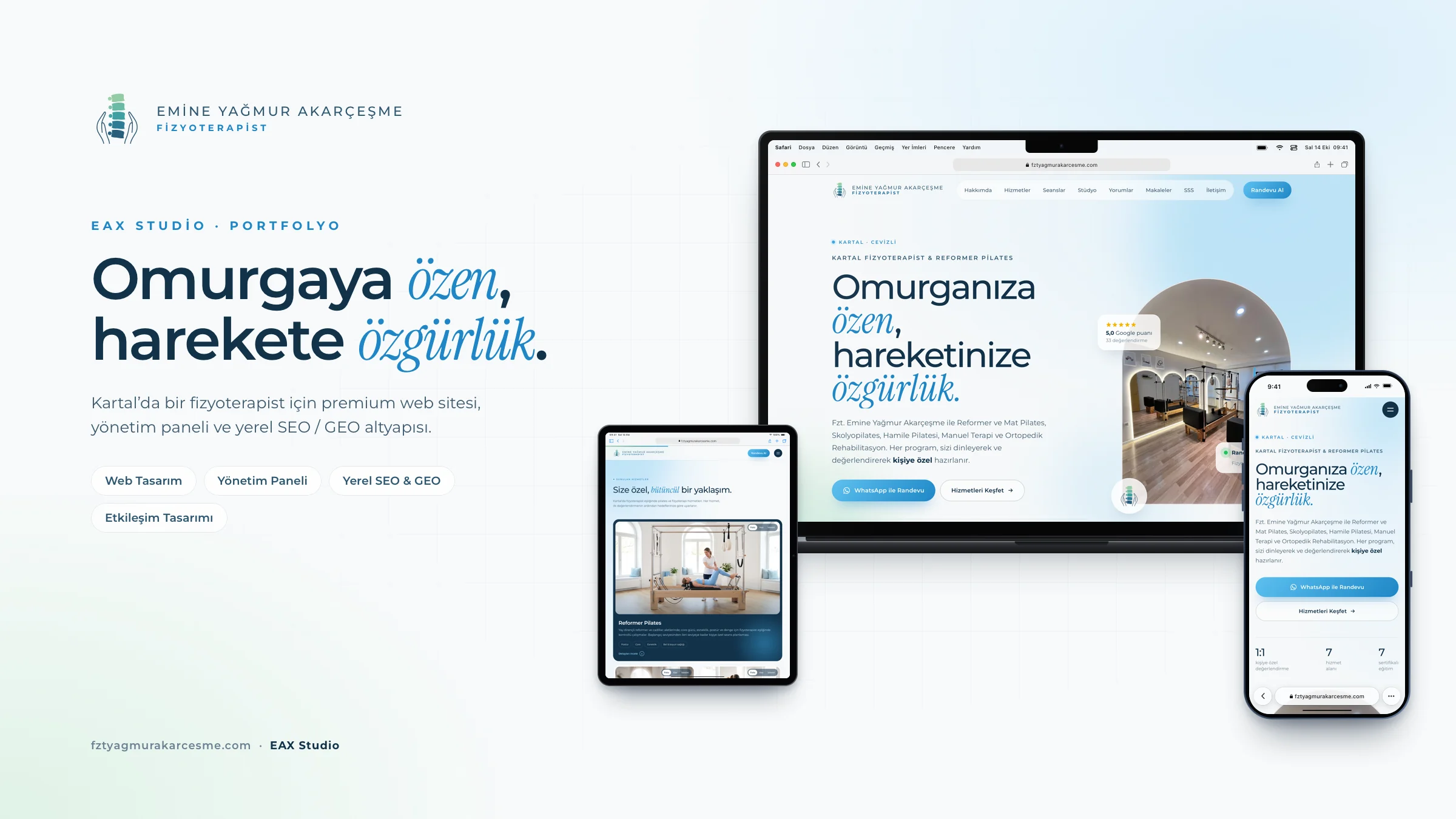
Another way to raise the quality of an inquiry is to hand the visitor a message that's already written. On the site we built for physiotherapist Emine Yağmur Akarçeşme, there is a WhatsApp appointment message that is personalized according to the visitor's selections on a pain map and sent with a single tap. What reaches the other side is not an empty "hello" but a message that says what is needed.
How does cookie consent affect measurement?
Both the Google tag and the Meta Pixel work with cookies placed in the visitor's browser. If your site has a cookie consent banner and a visitor declines marketing cookies, that person's conversion may be missing from the ad account.
This has three consequences. First, the number of conversions in the accounts comes out lower than the real number of inquiries. Second, optimization slows down, because the ad systems are learning from incomplete data. Third, visitors who don't give consent don't enter your retargeting list, and the list gets smaller.
On the Meta side, one more factor is added. iPhone users may not allow apps to track them. In that case, Meta can't fully see what the person did on your site after the ad.
The solution is not to remove the consent banner. The solution is to read reports knowing the data is incomplete, and to record real inquiries separately.
Two accounts can count the same customer twice
Attribution is the rule that decides which ad a conversion is credited to. Each platform applies its own rule and sees only its own ads.
Picture a Pilates studio in Kartal. A person sees the studio's ad on Instagram on Monday, searches for the studio's name on Google on Wednesday, clicks the ad and fills in the form. Meta can credit that form to its own ad, and Google can credit it to its own. If you add the two accounts together, you see two inquiries, when in fact one person came in.
So don't add the accounts together. Keep a single, neutral record.
- ✓The form, the phone call and the WhatsApp click are defined as conversions on both platforms.
- ✓You have tested every conversion from your own phone and confirmed that it shows up in the account.
- ✓Your ad links carry source tags that tell Google Analytics which platform the visit came from.
- ✓Your cookie consent banner works, and your cookie notice clearly mentions advertising cookies.
- ✓You ask every inquiry 'How did you find us?' and record the answer.
- ✓At the end of the month, you compare the account numbers with this record.
- ✓You compare the platforms by cost per inquiry and the rate of inquiries becoming customers, not by click price.
Using both together: retargeting and splitting the budget
When the two platforms are used together, each covers what the other lacks. Meta introduces you, and Google catches you once people start searching. Retargeting brings back the undecided visitor who is left in between.
How does retargeting work?
Retargeting means showing ads again to people who have already had contact with you. People who visited your site but didn't fill in a form, who watched most of your video or who looked through your profile make up this audience.
This method works especially well for appointment-based services, because the decision takes a few days. The person finds you on Google, looks at the site and leaves without deciding. Over the following days, they see you again on Instagram.
Introduction
A video on Meta showing your venue or your service appears in front of the people around you.A closer look
The person who is interested looks at your profile or visits your site. Most don't make an inquiry on the first visit.Reminder
People who visited the site are shown a second ad on Meta: a customer review, the answer to a frequently asked question, or how easy it is to book.Search
When the person decides, they search for your name or your service on Google. Your search ad and your business profile are there to meet them.Inquiry
They call, fill in a form or message you on WhatsApp. And you record where the inquiry came from.
Don't repeat the first ad in the retargeting ad. The person already knows you. What works at this stage is answering the question that is keeping them from deciding: is it trustworthy, how does the process work, is it easy to book?
Because site traffic is limited for local businesses, the retargeting audience can stay small. With very small audiences, the ad can't be shown regularly. In that case, widen the audience: add not only site visitors but also people who engaged with your Instagram profile and people who watched your videos.
How do you decide on the budget split?
There is no ready-made ratio, and be wary of anyone who hands you one. The right split comes out of the answers to five questions.
- Are people searching for your service on Google? If they are, that demand is ready, and the first share goes there.
- Can your work be explained through visuals? If it can, Meta's share grows.
- Will you be able to produce creative regularly? If you won't, the share set aside for Meta is wasted.
- How long does the decision take? The longer the decision, the more retargeting is worth.
- Do you have measurement data? If you do, there's nothing to argue about. The data decides.
A safe rule for getting started is this: give most of the budget to the side where demand is proven, and set aside a small part for testing on the other side. Once a month, look at the cost per inquiry and the quality of inquiries on both sides, and shift budget toward the side that is working better. Make the shift in small steps. Sudden, large budget changes disrupt what the system has learned on both platforms.
Whoever manages the two platforms, evaluate your Google Ads and Meta Ads campaigns against a single record of inquiries. That way, which platform is really bringing customers is measured by the inquiries that come in, not by the numbers in the accounts.
Which scenario fits you on a small budget?
The smaller the budget, the more you are forced to choose. The four hypothetical scenarios below show a sensible starting point in different situations.
Scenario 1: The budget is too small to split in two
Picture an air conditioning technician working alone in Pendik. The service is searched for on Google, and the budget is limited. A small budget split in two doesn't produce enough data to decide on either side. In this situation, you choose one platform, one service and a narrow area: Google only, and only for the service that earns the most. No ads run on Instagram, but the profile is kept up to date.
Scenario 2: The service is searched for, and the decision takes a long time
Picture a dental clinic in Kurtköy. The main budget goes to Google. On Meta, only retargeting runs: short pieces of content introducing the clinic and the team to people who visited the site and didn't book. The share set aside for Meta is small, but it is spent on people who were already interested.
Scenario 3: A new venue that isn't being searched for yet
Picture a newly opened kids' play center in Tuzla. Most of the budget goes to Meta: videos that target families nearby and show the space. No ads run on the Google side, but the business profile is set up in full and the first visitors are asked for reviews. Once people start searching for the play center by name, search ads come onto the agenda.
Scenario 4: Seasonal peaks
Picture a florist in Kartal. For most of the year, the ad budget is low. In the weeks before special occasions, both platforms are switched on for a short time: ads showing the products on Meta, and high-intent searches such as "flower delivery Kartal" on Google. Because competition rises in these periods, the ads shouldn't be left to the last day.
How do you test before deciding?
If you're not sure which scenario you fit, run a short test.
Preparation
Set up measurement
Define the form, the call and the WhatsApp click on both platforms. Prepare your inquiry log.Weeks 1–2
Start both narrow
On Google, one service and few keywords. On Meta, one objective and two or three different creatives.Weeks 3–4
Watch without touching
Don't make big changes, apart from blocking clearly irrelevant searches and switching off creative that gets no response at all.Weeks 5–6
Count the inquiries
Work out the number of real inquiries from each platform, the cost per inquiry, and how many inquiries turned into customers.Decision
Shift the budget
Increase the share of the side that works well. Before switching off the weaker side, look at whether the problem is in the platform, or in the creative or the page.
The decision table: which comes first in your situation?
| Your situation | First | What to add alongside | Reasoning |
|---|---|---|---|
| Your service is searched for at a moment of urgent need | Google Ads | Usually nothing | The need is immediate, and earlier promotion isn't remembered |
| You work by appointment and your service is searched for by name | Google Ads | Retargeting on Meta | The demand is ready, and the decision takes a few days |
| Your work sells through visuals | Meta Ads | Narrow, high-intent searches on Google | People don't want it before they see it |
| You've just opened and nobody knows your name | Meta Ads | A complete Google Business Profile | A business nobody searches for gets little out of search ads |
| You're announcing an event or a short-term campaign | Meta Ads | Google, if people search for it | An announcement is information the person isn't searching for |
| You offer a new service nobody knows about | Meta Ads | Google, as searches build up | The need has to be recognized first |
| You can't produce photos and video | Google Ads | Meta, once production is solved | Meta doesn't work without creative |
| You don't have a good landing page | The page first | Then Google Ads | A search ad brings the click to the page |
The table is a starting point, not a final verdict. If you fit two rows at once, start from the row where demand is most ready and confirm it with a test.
What are the most common mistakes?
Asking "Which one is better?" The right question is "How does my customer find me?" The answer points to the platform on its own.
Promoting an urgent service on Meta and a service nobody searches for on Google. Expecting either platform to do a job that goes against its structure leads nowhere.
Mistaking boosting a post for ad management. The boost button on Instagram is quick and easy, but its objective, audience and measurement options are limited compared with Ads Manager. It doesn't give enough control for a serious budget.
Measuring Meta by likes and Google by clicks. The measure for both is the inquiries that come in.
Choosing the wrong campaign objective. If you want appointments, a campaign set up with the engagement objective brings you likes.
Adding up the numbers from the two accounts. The same customer may have been counted on both sides. Keep a single record.
Using the same copy on both platforms. A search ad answers a question, and a feed ad starts an interest. The language and the format should be different.
Going on for months with a single creative. In a small area, the same ad gets stale fast.
Splitting the budget evenly from the start. An even split looks fair, but it rests on no reasoning. Where the demand is decides the split.
Ending the test early. A decision made on a few days of data is a decision made by chance.
Replying late to messages. An inquiry from Meta is usually a message, and interest cools quickly. A reply given hours later is a paid-for inquiry lost.
Terms used in this comparison
- Search intent
- The purpose a person has in mind when making a search: getting information, comparing, or finding a service right away.
- Feed
- The scrollable area on Instagram and Facebook where posts, videos and ads appear one after another.
- Creative
- The visible part of an ad: the photo, video, headline and text.
- Reach
- The number of different people who saw your ad at least once.
- Frequency
- How many times, on average, one person saw your ad. As it rises, creative fatigue sets in.
- Meta Pixel
- The measurement code added to your site that tells Meta what visitors did after the ad.
- Retargeting
- The method of showing ads again to people who have visited your site or engaged with your profile.
- Lookalike audience
- A target audience built by the system, made up of new people who resemble your existing customers or visitors.
- Instant form
- A lead form that opens inside the ad and that the person fills in without leaving Instagram or Facebook.
- Attribution
- The rule that decides which ad a conversion is credited to. Each platform applies its own rule.
The first step you can take this week
Before you open an ad account, do ten minutes of research. Ask your last twenty customers how they found you, and sort the answers into four groups: I searched on Google, I saw you on the map, I saw you on Instagram, someone recommended you. That breakdown shows which platform is already working in your business.
Then pick up your phone, type the search your customer would type and look at the results. If ads appear, there is competition for that demand too. If you'd like to work out together which platform you should start with, you can book a free analysis.
Frequently asked questions
Should a newly opened business start with Google or with Instagram?+
My budget won't stretch to both. Which one should I choose?+
Do I need a website to run Instagram ads?+
Isn't boosting a post enough?+
I get lots of messages from Meta ads, but nobody books. Why?+
How do I know which platform brings me customers more cheaply?+
How long should I wait when testing the two platforms?+
Isn't it enough just to show up on Google Maps, without running ads?+
More posts
Keep reading.
- How to Get Your Brand Recommended by ChatGPT (A GEO Guide)How to get your brand recommended by ChatGPT, Gemini and Perplexity: entity clarity, quotable content, technical setup and a 90-day plan.35 min read →
- 2026 Google Business Profile Optimization Guide: A 32-Point ChecklistA 32-point Google Business Profile audit: what to check, why it matters and how to fix it, plus a simple scoring method and a quarterly calendar.31 min read →
- How to Choose a Web Design Agency in Kurtköy (2026 Guide)Choosing a web design agency in Kurtköy or Pendik: agency types, evaluation criteria, 7 questions to ask, and what your contract must include.31 min read →