



Local SEO
How to Optimize Your Google Business Profile
Optimize your Google Business Profile step by step: verification, categories, description, photos, reviews and a simple monthly upkeep routine.
Before a customer ever calls you, they have most likely checked three things on Google: are you open, where are you, and what do other people say about you. Most of the time the answer doesn't come from your website. It comes from the business card that appears in the search results or on the map. That card is your Google Business Profile.
Maybe a relative set the profile up years ago. Maybe nobody knows who has the password, or you keep telling yourself you'll look at it one of these days. This guide starts exactly there. It's written for the owner who is taking the profile seriously for the first time, and it explains which field to fill in, in what order, and why.
By the end you'll have a verified, complete, rule-compliant profile and a maintenance routine that takes about an hour a month. We can't guarantee a ranking, and nobody else can either. What we can offer is this: you will have done everything within your control to help Google match you with the right searches.
Key takeaway
Optimizing a Google Business Profile means verifying the profile, describing the business with the right category, keeping every piece of information complete and current, building trust with real photos and reviews, and sustaining all of it through regular upkeep. Google ranks local results by relevance, distance and prominence. Your profile feeds relevance and prominence directly; distance is the one you can't change.
Where does your Google Business Profile appear, and why does it matter so much?
Google Business Profile, formerly known as Google My Business, is your business's free identity card on Google. It gathers your name, what you do, where you are, when you're open and what your customers have written about you in a single place.
- Business name and category: the core information that decides which searches you appear in.
- Rating and reviews: the first trust signal a customer looks at.
- Action buttons: call, directions, website and message.
- Photos: up-to-date images of the place, the team and the work.
- Updates: posts for announcements, offers and news.
Illustrative screen built with EAX Studio's own real details.
That card shows up in four different places:
- In brand searches. When someone types your business name, it appears on the results page as a knowledge panel. On a phone it takes up most of the screen.
- In the map pack. For searches like "pharmacy near me" or "car wash in Pendik," this is the map box that sits above the websites and usually lists three businesses.
- In Google Maps. Anyone searching in the app or browsing the map sees your profile and can get directions from it.
- In AI-assisted answers. Google's AI summaries and assistants can draw on business data when they make local recommendations. This area is changing fast, but it's fair to say that a complete, consistent profile works in your favor here too.
What does Google use to rank local results?
Google spells this out in its own help documentation: relevance, distance and prominence. Relevance is how well your profile matches the search. Distance is how close you are to the person searching, or to the place named in the search. Prominence is how well known and trusted your business is; reviews, your rating and your presence across the web all influence it.
A practical conclusion follows. Distance is out of your hands. A business in Kurtköy, on the eastern side of Istanbul, shouldn't expect to come out ahead in a "near me" search made from Kadıköy, a district well to the west. Relevance and prominence, on the other hand, depend largely on your own effort, and the rest of this guide is about those two.
Does the profile replace a website?
No. The two work together. The profile gets you found on the map and makes the first impression; your website explains your services in detail and gives Google additional evidence about your business. We cover the whole picture in our local SEO guide.
Step one: how do you claim and verify your profile?
An unverified profile is like a shop you don't hold the keys to. You can't make lasting edits to the information, you can't reply to reviews and you can't see performance data. That's why everything begins with verification.
Start by checking whether a profile already exists. Google sometimes creates business listings automatically, from its own data or from user suggestions. Opening a second profile on top of an existing one leads to one of the most tedious problems we'll come back to later: the duplicate profile.
Search for the profile
Search Google and Google Maps for your business name, your phone number and your address, one at a time. A listing created under an old name or an old address may turn up.Claim it or create it
If a profile exists, use the claim link on it. If not, create a new profile with a Google account that belongs to the business; choose a business email address over a personal account.Enter the basics
Name, primary category, address or service area, phone and website. Getting these fields right before you verify keeps major later changes from triggering a new review.Complete the verification method
Google offers you one or more methods: a video recording, a phone call or text message, email, a postcard, or a live video call. You don't get to choose which ones appear.Wait for approval, then sort out access
Don't change any information until the review is finished. Once you're approved, add a second person you trust as a manager so everything doesn't hang on a single account.
Why doesn't everyone get the same verification methods?
Google decides which method to offer based on the type of business, the location and its own trust assessment. The business next door may have verified by phone while you are offered video only. That isn't an error, and in most cases it can't be changed.
If you're asked for video verification, the general expectation is one continuous, uncut recording that shows where the business is located (the street, the building, the sign), the interior or your work equipment, and some proof that you are the one running the business. That proof can be unlocking the door with a key, or showing the register or an area only authorized staff can enter. Before you start filming, read the instructions Google shows on screen; the details are updated over time.
What do you do if the profile is in someone else's account?
A former employee, a previous agency or the person who built your website may have opened the profile with their own account. First, reach out to that person and ask them to transfer ownership to you; that's the fastest route. If you can't reach them, you can submit an ownership request through the profile itself. The current owner is notified, and if no reply comes, Google may move the process forward in your favor.
Keep ownership with the business
Even if an agency or consultant is going to manage the profile, the primary owner should always be the business's own account. Outside help gets manager access; ownership is not handed over. When the working relationship ends, you remove their access with one click.
Business name and category: how do you introduce yourself to Google?
Name and category are the two basic fields that determine which searches Google matches you with. The same principle applies to both: write down what you actually are.
Business name: whatever your sign says
The rule is short. The name on your profile should be the same name that appears on your sign, on your invoices and on your website. Google's guidelines ask for this explicitly.
The violation we see most often in the field is stuffing keywords into the name. Here's a hypothetical example. A business whose sign reads "Example Dental Clinic" breaks the rule when it changes its profile name to "Example Dental Clinic Kurtköy Implants Zirconia Best Dentist." It may see itself move up in some searches in the short term, but a report from a competitor or a user gets the name corrected, and if it happens again the profile can be suspended.
Things that don't belong in the name:
- Service and product names (unless they are on your sign)
- District, neighborhood or city names (unless they are part of your official name)
- Promotional phrases such as "best," "affordable" or "24/7"
- A phone number, web address or slogan
- All caps or symbols used to grab attention
Every one of these has its own place in the profile: the services section, the description, the opening hours, the service area. Keeping the name clean costs you nothing.
Why is the category so decisive?
The category is where you tell Google "this is the kind of business I am," and it's one of the settings that most affects relevance. You can't type a category of your own; you choose from Google's ready-made list. That list is updated over time, and new categories are added.
Primary category: what do you do, in one sentence?
For the primary category, ask yourself this: if someone had to describe you in a single word, what would they say? Pick the most specific option you can find in the list. "Dental clinic" rather than "health center," "optical store" rather than "store." A broad category doesn't get you into more searches. On the contrary, it blurs who you'll be matched with.
Two practical methods make the choice easier. Type different words related to your work into the category box and read each option that comes up. Then run the search you're targeting in Google Maps and look at which category is written on the cards of the businesses at the top.
Additional categories: the work you actually do
Additional categories are for service areas your primary category doesn't cover but that you really offer. The test is simple: if someone searching for this category showed up at your door, could you serve them? If the answer is no, don't add it. Irrelevant categories don't strengthen your profile; they confuse Google about who to match you with.
The table below walks through the reasoning using hypothetical businesses.
| Hypothetical business | Common mistake | A better approach |
|---|---|---|
| A dental clinic in Kurtköy that also does implants and orthodontics | A broad primary category such as "health center" | A dental-clinic-type category as primary; the specialties as additional categories and services |
| A restaurant in Pendik that serves breakfast by day and grilled dishes in the evening | Adding every cuisine type that comes to mind | The thing the place is really known for as primary, the other as an additional category; the menu is detailed in the services area |
| An air conditioning service in Tuzla that makes house calls | Choosing a store category even though there is no store | A service and repair category as primary; no sales category if nothing is sold |
| A physiotherapist in Kartal who also teaches reformer Pilates classes | Settling for a gym category alone | The actual profession as the primary category, Pilates as an additional one |
Businesses whose work changes with the season, such as a company that services air conditioners in summer and boilers in winter, may consider changing the primary category at the start of each season. Do this deliberately, once or twice a year; changing categories often makes the profile look unstable.
Should you show an address or define a service area?
Google sorts businesses by where they meet their customers. If customers come to you, you show an address. If you go to the customer, you hide the address and define the areas you serve. Some businesses do both.
The rules on addresses are clear. The address must be a real place where you can receive customers during the hours you state. Virtual offices, P.O. boxes and locations used only as a mailing or legal-notice address are not accepted, and they are among the reasons profiles get suspended. If you work from home, you are not required to show your home address. EAX Studio works this way too, as a service-area business.
Always check the map pin. Even when the address is typed correctly, the pin can land on the next street over or on the back side of the building. If customers following directions keep ending up at the wrong door, this is where the problem lies; you can fix it by dragging the pin in your dashboard.
How wide should you set your service area?
List the districts you really travel to. Adding all of Istanbul to your service area doesn't put you ahead in every district, because the distance factor keeps working from the location your profile is tied to. For a plumber based in Pendik, a realistic definition is Pendik, Tuzla, Kartal and Maltepe. For visibility in more distant districts you need other tools, such as content on your website and advertising.
Phone number
The number on your profile should be one that someone actually answers during business hours. The same number should be written exactly the same way on your website, on your social media accounts and in any directories where you're listed. Keeping name, address and phone details consistent everywhere is known as NAP consistency, and it supports the trust Google places in your business.
Why shouldn't you neglect opening hours and special days?
Opening hours are among the most-viewed details on a profile, and they are the field that generates the most complaints. A customer who finds a locked door at a time you appeared to be open will often tell that story in a one-star review.
Fill in three layers separately:
- Regular hours. Opening and closing times for every day of the week. If you close for lunch, enter the day as two time blocks.
- Special hours. Public holidays, religious holidays, annual leave, renovations. Ahead of upcoming holidays Google may ask you in the dashboard to confirm your hours; don't let that prompt go unanswered.
- Additional hour types. In some categories you can set separate hours for delivery, the kitchen, takeout or appointment-only service. If you see them in your dashboard, use them.
If you work by appointment only, say so in both the hours and the description. Writing "weekdays by appointment" spares someone the disappointment of arriving at your door and finding nobody there.
Temporarily closed is not the same as permanently closed
During a renovation or in the off-season, mark the profile as "temporarily closed." A profile that is marked permanently closed, or that users report as such, becomes largely invisible in search, and reversing it takes real effort.
How do you write your services, products and description?
The category tells Google what kind of business you are. Services, products and the description explain exactly what you do. These three fields answer the customer's question: "Do they have what I'm looking for?"
Services
List your services one by one, in the words your customers use. Instead of "general maintenance," write "scheduled maintenance," "brake pad replacement," "AC recharge." Under each service you can add a sentence or two of description: who it's for, how long it takes, how it works.
The price field is optional in most categories. If you don't have a fixed price, leaving it blank is better than entering a misleading figure.
Products
If you sell products, or offer your service as a package, the products section acts as a visual shop window. A clear photo, an understandable name and a short description are enough for each one. For restaurants and cafes, the menu area takes its place. Which of these fields are open to you depends on your category.
Description: a hypothetical bad example and a good one
The description field is limited in length, and in most cases only the first part of it is visible on the card. That's why the most important information belongs in the first two sentences. Google's guidelines ask you not to use links, promotions or price-focused sales language in the description.
The bad example, a pile of keywords:
Pendik dental clinic, Kurtköy dentist, implants Pendik, cheapest teeth whitening, zirconia prices, 24/7 dental clinic Pendik Kurtköy Tuzla Kartal. Best price guarantee! Call now!!!
This text tells a human being nothing. The reader can't find out how many dentists the clinic has, whether it sees children or whether there's parking. On top of that, it contains promotional language that breaks the rules.
The good example, for the same hypothetical clinic:
We are a two-dentist family dental practice in Kurtköy. We offer checkups for children and adults, fillings, root canal treatment, implants and orthodontics. At your first visit we take intraoral images and share your treatment plan in writing. We also offer appointments on weekday evenings. The building has parking, and there are no steps at the entrance. To book, you can call us or use the appointment link on our profile.
The district name and the services still appear in the second version, but as a natural part of a sentence. The formula is this: who you are, what you do, who you serve, what concrete detail sets you apart, and how to reach you.
Attributes
Attributes are features you can tick, such as "wheelchair-accessible entrance," "free Wi-Fi" or "appointment required." The options offered vary by category and by country. Tick the ones that are true. They are used as filters in some searches, and they answer in advance the questions a customer would otherwise call to ask.
Which photos and videos build trust?
Photos are the scouting trip a customer takes before walking through your door. If the profile has no images, or only a single blurry shot taken three years ago, people move on to the next profile rather than decide on incomplete information.
Aim for this set to begin with:
- Logo. Square, simple, legible even at a small size.
- Cover photo. The single shot that best represents the business. Keep in mind that this is a preference; in some searches Google may feature a different photo.
- Exterior. Shots from different directions in which the sign can be read. This is the photo customers use to find you on the street.
- Interior. The waiting area, the dining room, the counter, the work area. These give the quickest sense of cleanliness and order.
- Team. Real employees, in their work clothes, in natural light.
- At-work shots. The moment the service is delivered, or the product being prepared.
Don't use stock photos. People notice, and Google's content rules also require photos to genuinely reflect the business. For the same reason, images with text, price tags or heavy filters laid over them don't do well either.
A sharp photo taken on a phone is enough most of the time. Wipe the lens, hold the phone horizontally, use daylight and tidy up the clutter in the frame.
Video
A short video gives you what a photo can't: the size of the place and how it runs. A steady shot that walks in through the door and around the space, or a simple recording that shows part of the service, does the job. For limits on length and file size, check the current notice on the upload screen.
If you work in health or beauty
Get written consent before sharing a photo of a client or patient, and review the promotion rules of your profession. In Türkiye, before-and-after images are restricted by regulation in many health professions. Photos of the premises, the team and the equipment carry no such risk and are usually enough to build trust.
Photos uploaded by customers
Customers can add photos to your profile too, and those appear alongside yours. You can report images that have nothing to do with your business or that break the rules from your dashboard. As for a photo you don't like but that is real, the way to push it down is to upload better ones regularly.
How do you ask for reviews, and how do you reply to them?
Reviews both feed prominence and sway the decision of the person looking at your profile. Reaching a particular number of reviews shouldn't be the goal. What matters is a steady flow from real customers, with replies.
The right way to ask for a review
Asking for reviews is allowed, and Google recommends it. Your dashboard has a review link specific to your profile. You can use that link in three places: in the WhatsApp or text message you send after the service, on a QR code at the register or on the table, and in your email signature.
Timing matters. Ask at the moment the customer tells you they're happy, or right after the service. A message from a hypothetical auto repair shop might look like this:
Hi Ayşe, we handed your car back today. If you could share your experience on Google in a few sentences, it would help both us and your neighbors who are looking for a shop like ours. Here is the link. Thank you.
The message is short, personal and free of pressure. It doesn't ask for a number of stars and doesn't tell the customer what to write.
Offering an incentive for a review is against the rules
Asking for a review in exchange for a discount, a gift, a free service or an entry in a prize draw violates Google's rules. So does asking only satisfied customers and screening out the rest, having reviews written for your own business or by your own employees, and buying reviews. When this is detected, the reviews can be deleted and the profile restricted.
Replying to reviews
Reply to every review, not only the negative ones. You are not really writing the reply for the person who left the review; you're writing it for everyone who will read that review later.
For a positive review, skip the canned phrase and pick up a detail from the review itself. Writing "We were glad to read you were pleased the brake pad replacement was finished the same day, and we hope to see you again" instead of "Thanks" shows that the reply came from a real person.
For a negative review, follow four steps:
- Wait. Don't write in the first flush of anger, but don't leave the reply for days either.
- Acknowledge the experience. Without arguing over whether they are right, say that you understand the trouble they had.
- Give brief information. If there has been a misunderstanding, correct it in a single sentence, without blame.
- Take it offline. Give a phone number or an email address and work out the solution there.
A hypothetical example: "We read that you were kept waiting at your appointment time, and we're sorry about that. We have talked through that day's delay with our team. We would like to make it right, and we'd be glad if you reached us at this number."
Don't share personal information in your replies. If you work in health, avoid even wording that confirms the reviewer is your client, and give no detail at all about treatment.
Can you get a review removed?
Only if it violates Google's content rules. Spam, abusive language, content unrelated to your business, and conflict-of-interest reviews that clearly come from a competitor can be reported from your dashboard. A real customer's harsh but honest criticism won't be removed. The best answer to a review like that is a calm reply, followed by the new positive reviews that come after it.
How do you use posts, Q&A and messaging?
Posts
Posts are short announcements you publish on your profile. They come in types such as general updates, offers and events. They show a visitor that the business is alive and looked after.
A good post says one thing: a new service, special hours for this week, an event, the answer to a frequently asked question. One clear photo, two to four sentences of text and a single action button (call, book, learn more) are enough.
On frequency, choose a pace you can keep up. One post a week is a good target. If you can't manage that, two regular posts a month beat a month of heavy posting followed by three months of silence. If you're wondering whether posts can stand in for social media content, see our article on Google Business Profile or social media.
Q&A and messaging
These two areas call for some caution, because Google has changed both of them in recent years. The in-profile chat feature was retired in 2024. The Q&A section, for its part, doesn't appear the same way on every profile or in every country.
The practical approach is this: open your dashboard and see which contact options you are offered. If there is an option to add a WhatsApp or text message link, and you really do answer that channel during business hours, add it. If your Q&A section is visible, answer incoming questions yourself, because a question you leave unanswered may be answered by another user, possibly with wrong information.
Features change, but the principle stays the same. The answers to the questions customers ask most should be written somewhere on your profile: in the description, in the service descriptions or in your posts.
How do you read your performance data?
Under the "Performance" heading in your dashboard, you can see how people found your profile and what they did there. The numbers may look confusing at first glance. The table below sums up what each figure tells you and when you should act on it.
| Data | What it tells you | When to act |
|---|---|---|
| Profile views | How many times your profile was seen | If it falls steadily, check your category, your hours and whether a duplicate profile exists |
| Search terms | The words people used to find you | If a service you offer never appears in the list, that topic is missing from your services and description |
| Phone calls | People who tapped the call button on the profile | If views are high and calls are low, your photos, rating and description may not be convincing |
| Direction requests | People who pulled up a route to reach you | If it's low, review the pin location and your exterior photos |
| Website clicks | People who went from the profile to your site | If there are clicks but no inquiries, the problem is on the site, not on the profile |
Build two habits when you read the data. Compare month to month rather than week to week, and if possible against the same month last year; demand is seasonal for most businesses. And look at actions rather than views. Calls, direction requests and website clicks show real interest.
The search terms section is the most valuable part. A hypothetical example: if a veterinary clinic sees "vet open at night" coming up often in the list and it really does offer night service, it should state that clearly in its hours, in its description and in a post. If it doesn't, the data hands it an idea for a new service.
If you want to see visitors who come from the profile to your website separately, you can add a UTM tag to the website link on your profile. A UTM tag is a short code added to the end of a link that tells your analytics tool which source a visitor came from. If your site is slow or hard to use on mobile, the interest your profile brings in goes to waste; we cover that in our article on website speed and SEO.
How do you set up a monthly maintenance routine?
A profile is not a form you fill in once and leave. Hours change, services are added, reviews arrive, and Google or users suggest changes to your information. An hour of regular upkeep each month delivers better results than one big cleanup a year.
Week 1
Lay the foundation
Ownership and verification, name, primary category, address or service area, phone and opening hours. Don't move on to the other steps until these are finished.Week 2
Fill in the content
Additional categories, services, description, attributes and your first set of photos. Bring the name, address and phone details on your website in line with the profile.Weeks 3–4
Start your review and post routine
Get your review link, prepare your QR code and write your request message. Publish your first two posts.Every month
Maintenance round
Work through the list below from top to bottom and compare your performance data with the previous month.Every quarter
Full audit
Go over every field item by item, look at competitor profiles and refresh your photo set.
What to look at in the monthly maintenance round:
- ✓Are the opening hours correct, and is there a holiday or special day in the coming month?
- ✓Are there any reviews left unanswered?
- ✓Are there information changes suggested by Google or by users that are waiting for approval?
- ✓Were at least two new photos uploaded this month?
- ✓Were at least two posts published, and have expired offers been removed?
- ✓Is there a service in the list that has been added, dropped or renamed?
- ✓Do the website and appointment links work?
- ✓How have views, calls and direction requests in the performance data changed compared with last month?
- ✓Is there a new or unexpected word among the search terms?
- ✓Is anyone you no longer work with still on the list of profile managers?
What are the common mistakes and the suspension risks?
Doing the opposite of what we've described so far usually costs you only visibility. Some mistakes, though, can lead to the profile being suspended, which means it disappears from search and from the map altogether.
Mistakes that cost you visibility:
- Opening the profile and walking away. Old hours, discontinued services and unanswered reviews give the impression that the business itself is neglected too.
- A broad or wrong primary category. This is the most common reason a profile gets matched with the wrong searches.
- Inconsistent information. One phone number on the profile, another on the website, an old address on social media.
- Replying only to negative reviews. Ignoring happy customers paints a defensive picture.
- Asking for reviews in bulk, all at once. Dozens of reviews landing in one week on a profile that went months without a single one doesn't look natural, and it can cause reviews to be filtered.
- Not connecting the profile to the website. If the website field is empty or points to an address that doesn't work, both the customer and Google are left with incomplete information.
Mistakes that carry a suspension risk:
- Adding keywords or a location to the business name.
- Showing an address where you don't actually receive customers. Virtual office and P.O. box addresses are included.
- Opening more than one profile for the same business. A separate profile for each service or each district is a rule violation unless you have a real branch there.
- Collecting fake or incentivized reviews.
- Appearing in a category you aren't eligible for.
- Changing a lot of core information in a short time. Changing the name, address, category and phone on the same day can trigger a new review. Make big changes with your justification ready and, if possible, spaced apart.
What do you do if your profile is suspended?
First of all, don't panic and open a new profile; that makes the situation worse. Read the guidelines in Google's Business Profile help pages, work out which rule may have been broken and correct it on the profile.
Then file an appeal. The appeal asks for documents proving that the business is real and operates at the stated address: a photo of the sign, the tax registration certificate that businesses in Türkiye display, an invoice issued in the business's name, and the like. Because the number of appeals can be limited, it's important to prepare a complete submission the first time. Nobody can say for certain how long the outcome will take.
- Google Business Profile
- Your business's free identity card as it appears in Google Search and Google Maps. It was formerly called Google My Business.
- Map pack
- The results box that appears above the websites in local searches, containing a map and usually three businesses.
- Primary category
- The main business type on your profile. It is one of the settings that most affects which searches you are matched with.
- Service-area business
- A type of business that doesn't receive customers at its own address and delivers its service at the customer's location or remotely. The address is hidden and the areas are shown.
- NAP
- Short for name, address and phone. These three details are expected to be exactly the same on your profile, your website and in directories.
- Attribute
- Features that can be ticked on the profile, such as wheelchair access, Wi-Fi or an appointment requirement.
- Suspension
- The removal of a profile from search and from the map, or the restriction of management access, because of a rule violation.
- UTM tag
- A short code added to the end of a link that tells your analytics tool which source a visitor came from.
The first step you can take this week
Pick up your phone and search for your own business in Google Maps the way a customer would. Is your name right? Does the pin point to the right door? Do the hours reflect today? Has the latest review been answered? This five-minute look tells you where to start.
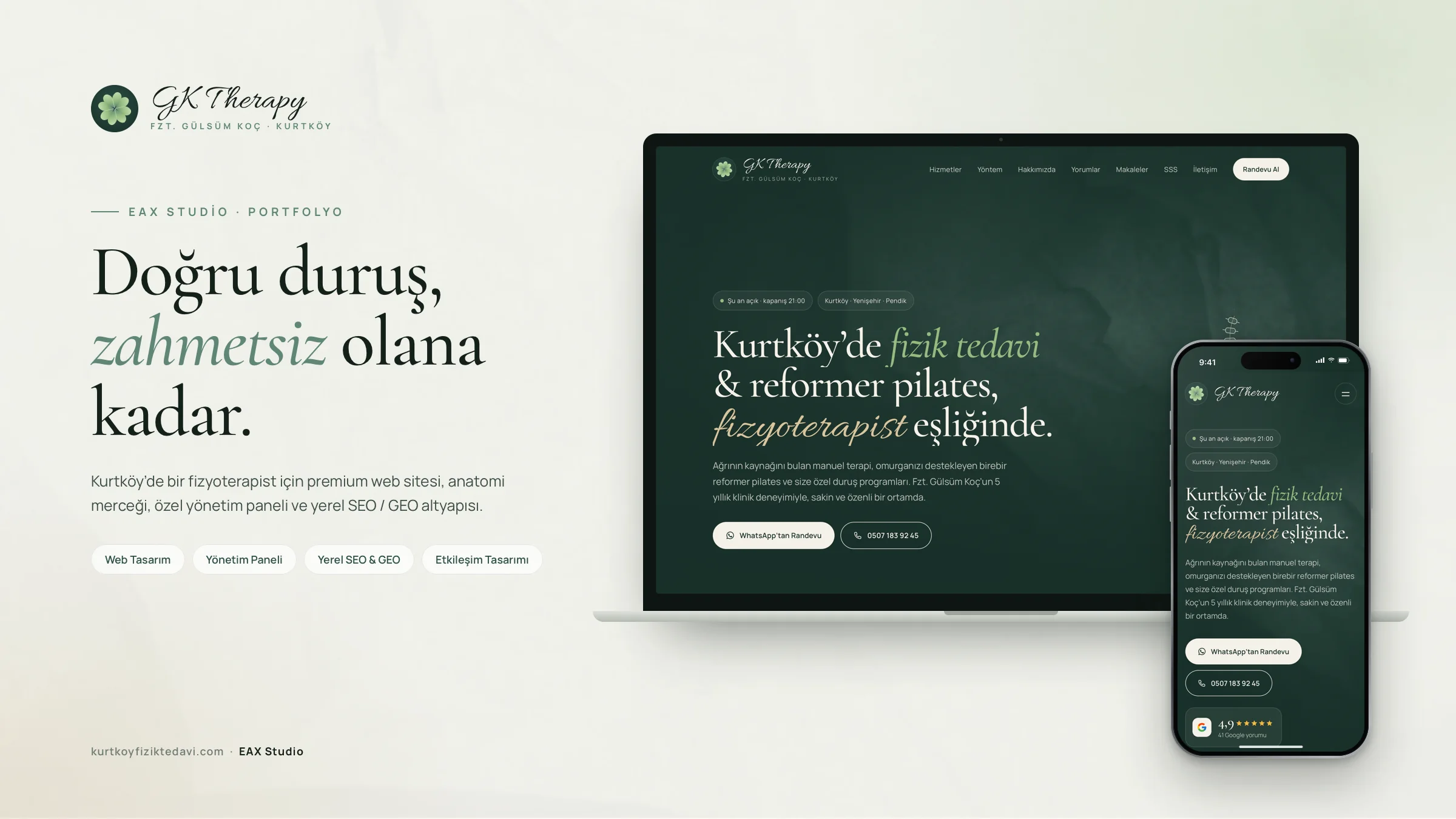
Then follow the order in this guide: ownership, name and category, address and hours, content, photos, a review routine, monthly upkeep. Once the profile has settled, local SEO work and a well-built website are added on top of the same foundation. You can see how this comes together in a real project in our GK Therapy case study, where we set up the name, address, phone and opening hours on the site to match the Google Business Profile exactly.
When you've finished the setup and want to be sure you haven't skipped a field, you can score your profile item by item with our 32-point checklist, which covers the same ground in audit form.
If you'd like an outside pair of eyes on your profile, you can book a free analysis. If you'd rather have us run the process for you, take a look at our Google Business Profile management page.
Frequently asked questions
Does a Google Business Profile cost anything?+
How long does verification take?+
I don't have a storefront and I work from home. Can I open a profile?+
Will I rank higher if I add a district or a service to my business name?+
Can I have a bad review deleted?+
How often should I post?+
When will I see results after optimizing?+
Should I manage the profile myself or hand it to an agency?+
More posts
Keep reading.
- 2026 Google Business Profile Optimization Guide: A 32-Point ChecklistA 32-point Google Business Profile audit: what to check, why it matters and how to fix it, plus a simple scoring method and a quarterly calendar.31 min read →
- What Is Local SEO? A Complete Guide for Small BusinessesWhat is local SEO and how does it work? The map pack, Google's three ranking factors, the core components, measurement and a 90-day roadmap.32 min read →
- How to Get Your Brand Recommended by ChatGPT (A GEO Guide)How to get your brand recommended by ChatGPT, Gemini and Perplexity: entity clarity, quotable content, technical setup and a 90-day plan.35 min read →